
The roadmap timeline is fully customizable, and "Roadmap for macOS" makes timeline customization straightforward and flexible.
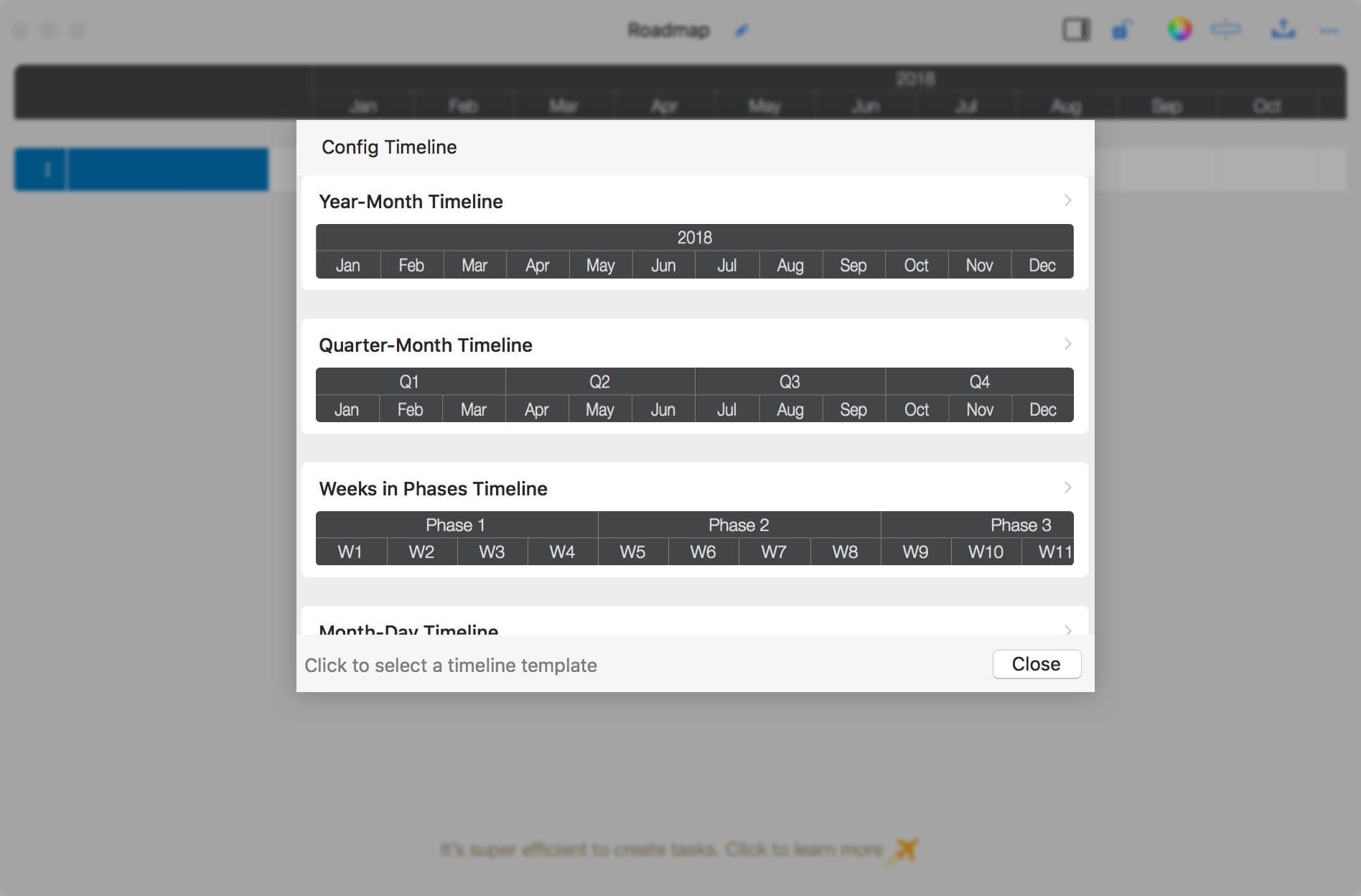
- Predefined timeline templates cover common timeline styles, making timeline customization quick and easy.
- Roadmap lets you update specific timeline cells directly, which is intuitive and flexible.
- You can also customize timeline cells with "text formulas"; for example, "10, 8" creates two phases, where the first phase has 10 units and the second has 8.
You can easily and efficiently customize timelines for business needs when creating roadmaps and high-level plans. This flexibility also extends the app to common timeline planning scenarios, such as meeting agendas.
Timeline Templates
When you open an empty roadmap, the app guides you to configure the timeline by selecting a template.
Update cells directly
Batch update by formula
You can initialize the timeline with a text formula to efficiently customize timeline cell counts and titles.
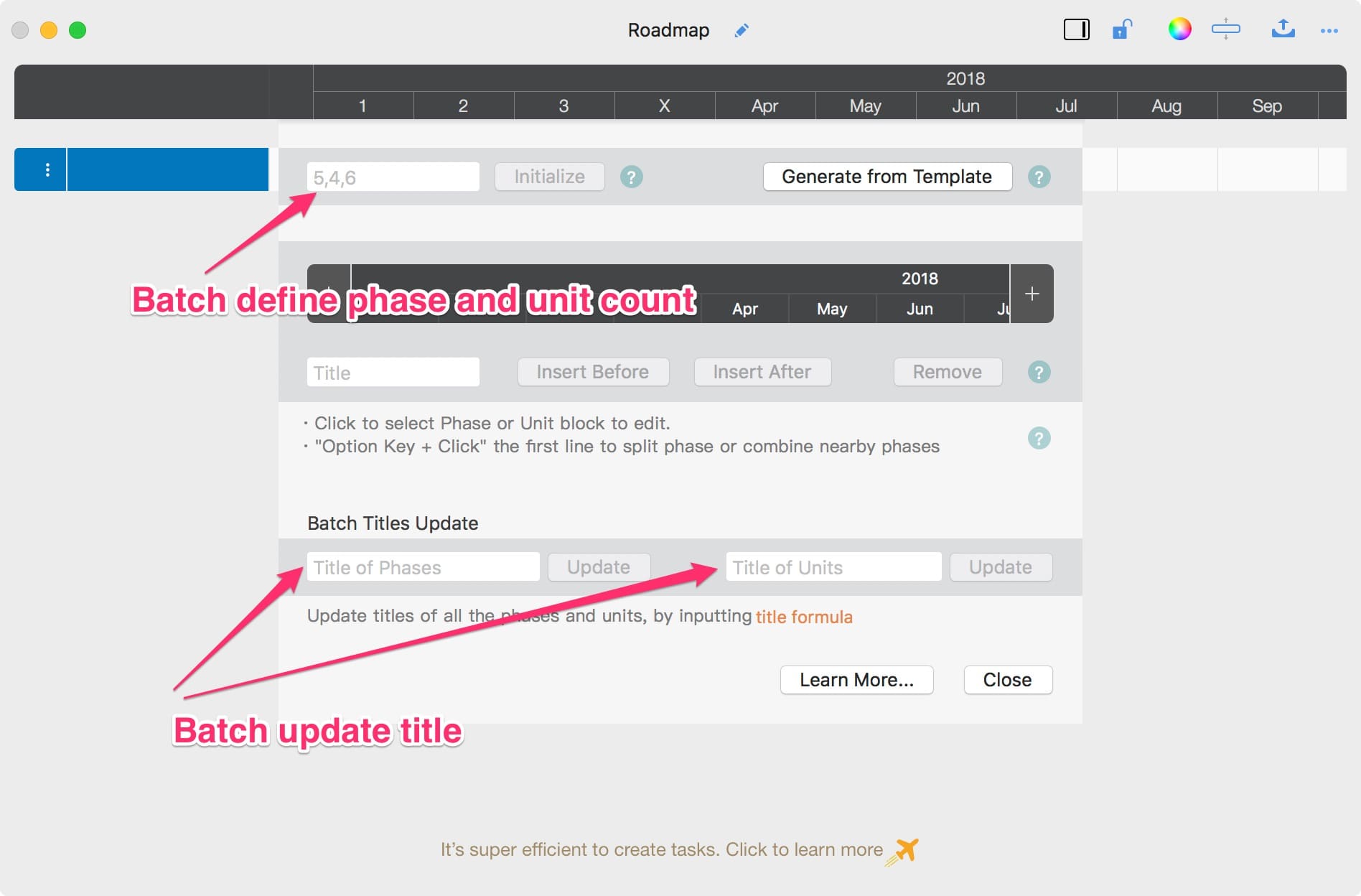
Examples are shown below.
1. Three phases, each with a different number of units

Create a timeline with 3 phases: the first has 5 weeks, the second has 6 weeks, and the last has 3 weeks.
-
“5, 6, 3” – Create a timeline with 3 phases.

-
“W{i}” – Set the unit titles.

2. Four sprints, each with 10 days

Create a timeline with 4 sprints, each containing 10 days.
-
“10,10,10,10” – Create a timeline with 4 phases, each with 10 units.

-
“Sprint {p}” – Update phase titles.

-
“#{i}” – Update unit titles.

3. (Advanced example) A 3-day seminar, working time from 8:00 to 15:00

-
“8,8,8" – Create a timeline with 3 phases, each with 8 units.

-
“Day {S p}” – Update phase titles.

-
“{00 p + 7}:{00 i * 15 - 15}” – Update unit titles.

4. (Advanced example) A 6-hour meeting from 8:00, with 15 minutes per unit

-
“4,4,4,4,4,4” – Create a timeline with 6 phases, each with 4 units.

-
“Hour {p + 7}” – Update phase titles.

-
“{00 p + 7}:{00 i * 15 - 15}” – Update unit titles.

Documents Operations
Roadmap Properties
Timeline
- Timeline Customization
Section, Row, and Task Maintenance
Keyboard Shortcuts
Customization
Synchronization
Integrations
Others