The Basis
The Basis
Document-Based App
"Roadmap for macOS" is a document-based app, so users have full control over how files are stored and shared.
Welcome Window
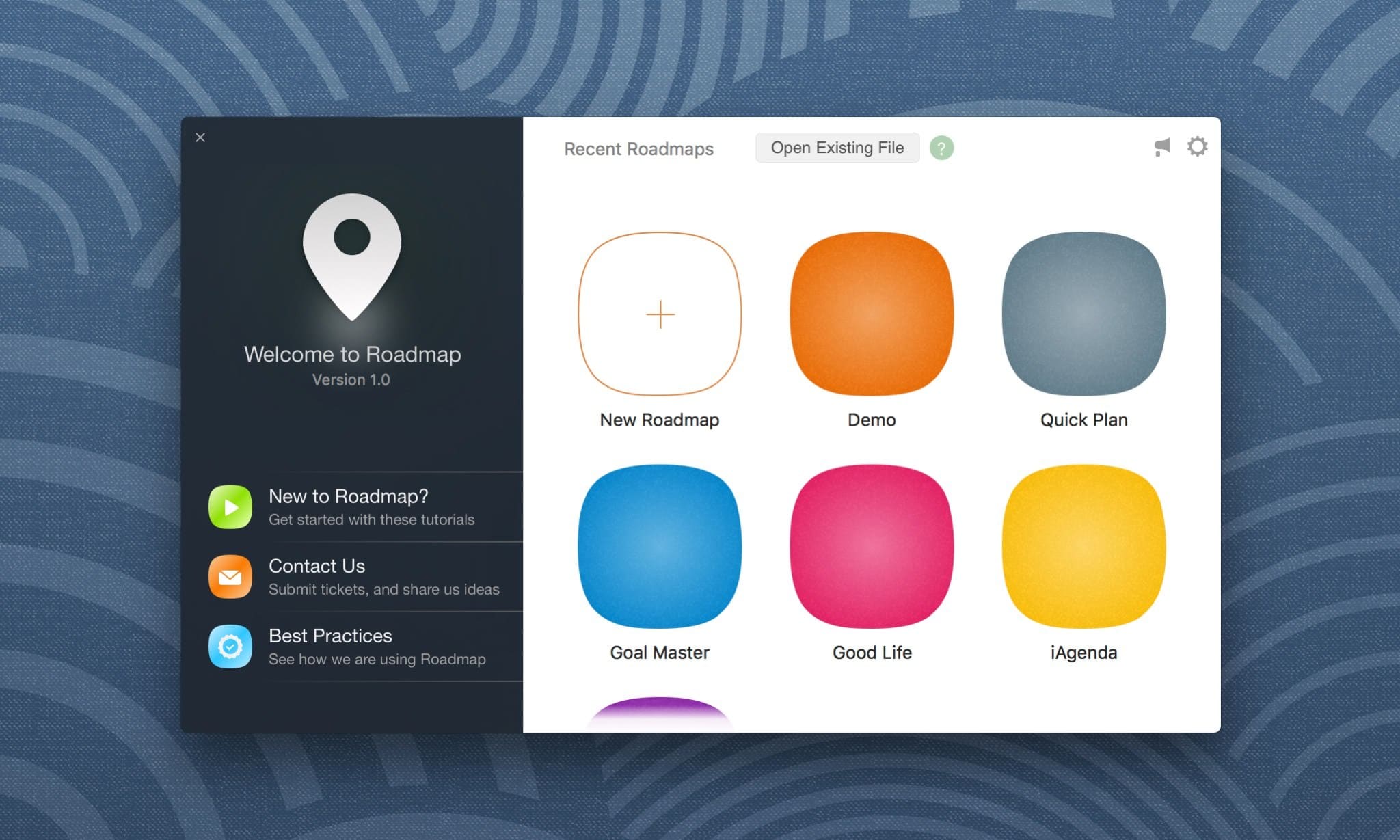
Launch the Roadmap app and you will see the welcome window. From there, you can open recently accessed roadmap files, browse for a .rdmap file on your Mac, or create a new roadmap by clicking the "+" tile.
Roadmap Window
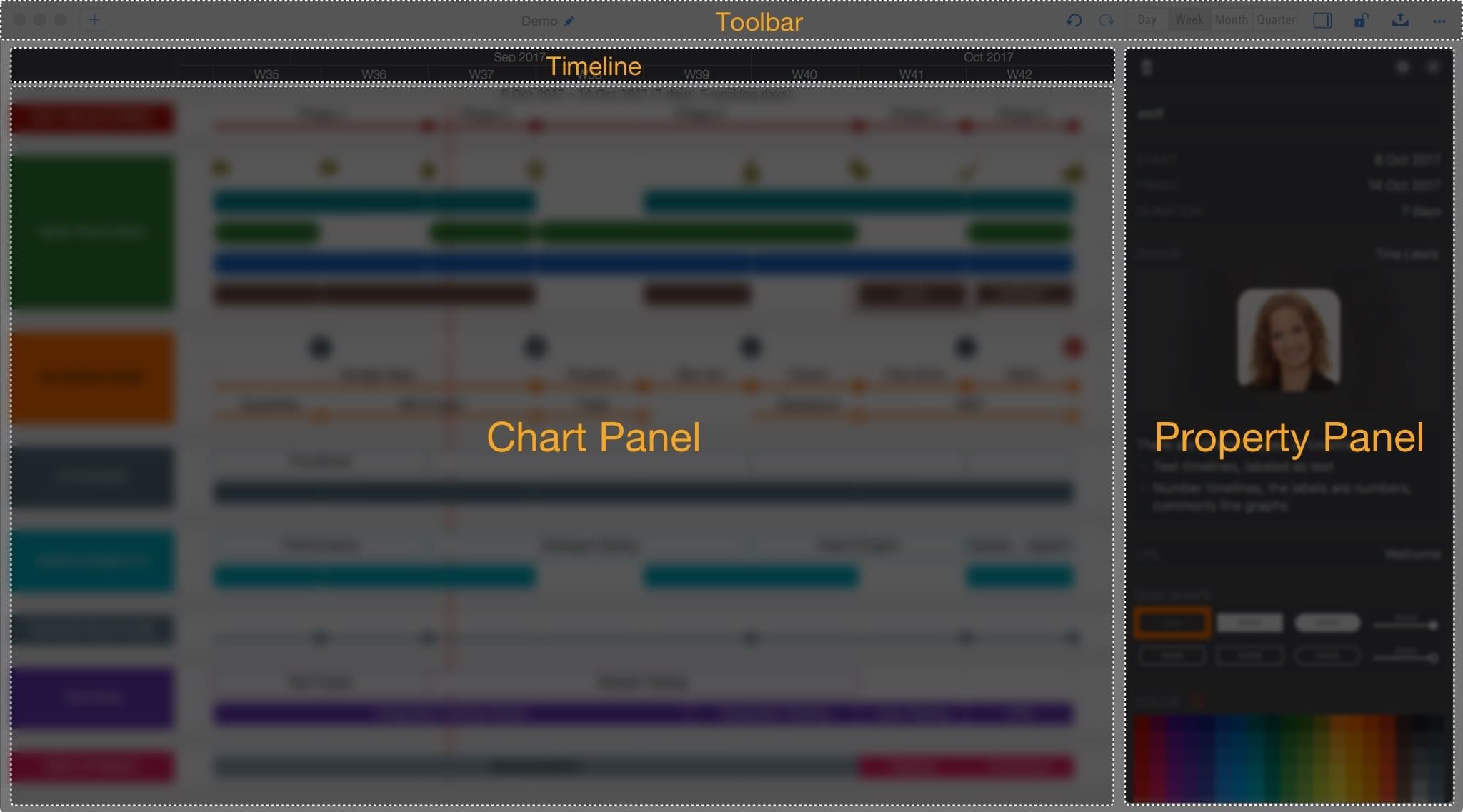
A roadmap document opens in a roadmap window with the layout below.
Roadmap Chart
Roadmap tasks are organized in sections and rows.

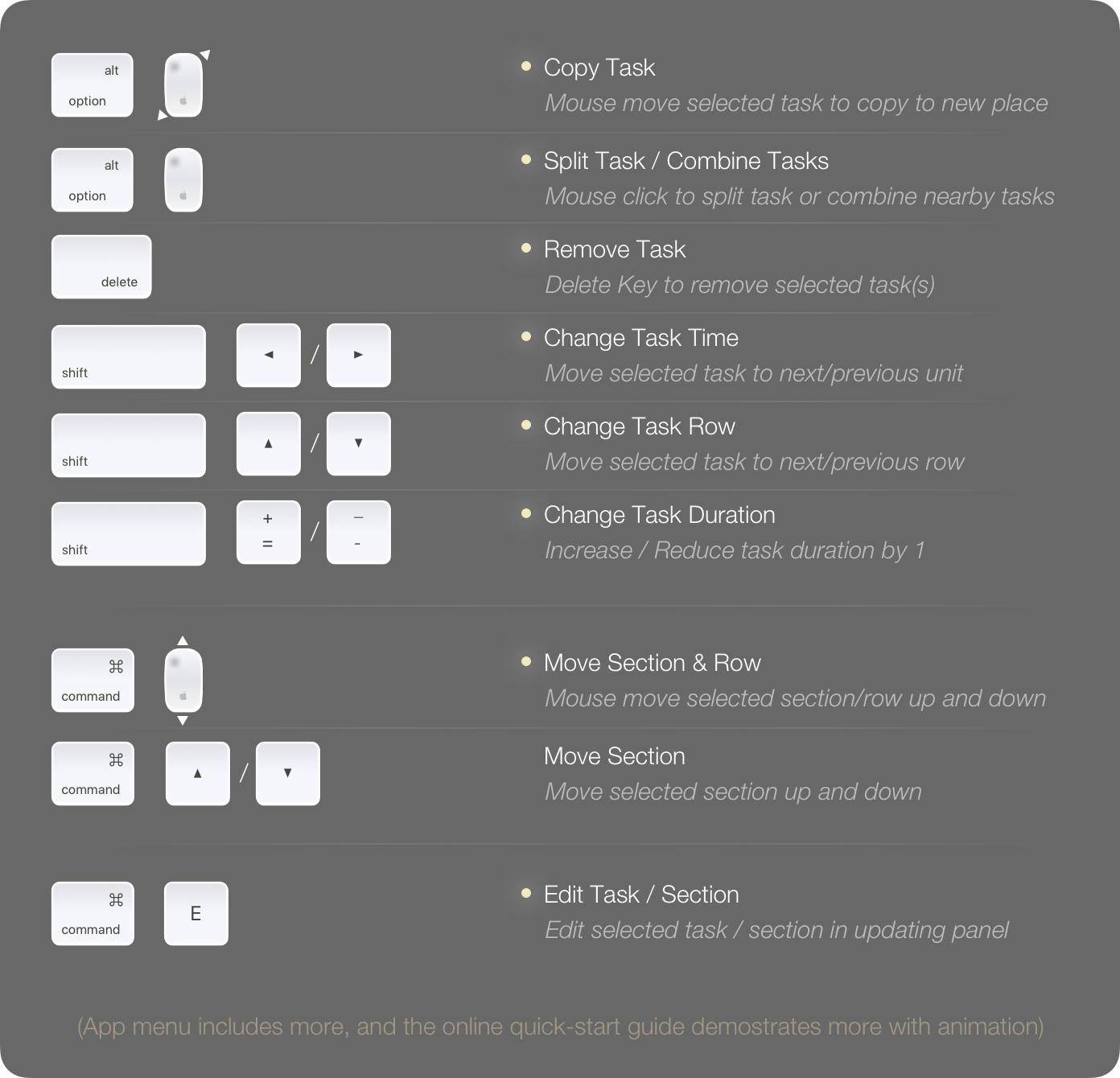
Press ⌘⌥^ (Command + Alt + Ctrl) to show shortcut tips in the active roadmap window.
Review the frequently used shortcuts below before getting started. You can find more keyboard shortcuts in the app menu.